
Reuse the format
Start with an existing resume format instead of rebuilding the document design for every candidate.
RESUME STUDIO
Upload an existing resume format. Resume Studio analyzes its supported structure, layout and presentation, maps candidate information, and helps generate consistent candidate resumes without rebuilding the format every time.
PRODUCT FLOW
Core capabilityRESUME STUDIO
01 · UPLOAD
02 · UNDERSTAND
03 · GENERATE
Keep the format. Change the candidate.
01 — THE FORMAT PROBLEM
Recruiting teams often work with preferred company formats, client submission formats or standardized resume layouts. But preparing each candidate can mean repeating the same formatting and document work again and again. Resume Studio turns an existing format into something your recruiting team can reuse.
Start with an existing resume format instead of rebuilding the document design for every candidate.
Carry supported structure and presentation characteristics across generated candidate resumes.
Spend less effort rebuilding the same document structure candidate after candidate.
02 — UPLOAD & UNDERSTAND
UPLOAD
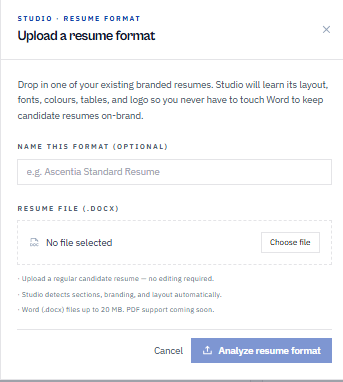
Drop in one of your existing branded resumes as a DOCX file. Studio analyzes its layout, fonts, colours, tables and logo — so the format your team already uses becomes the starting point.
UNDERSTAND
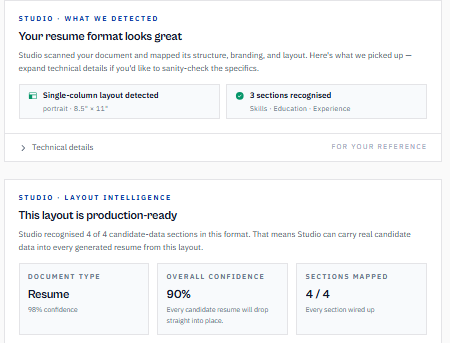
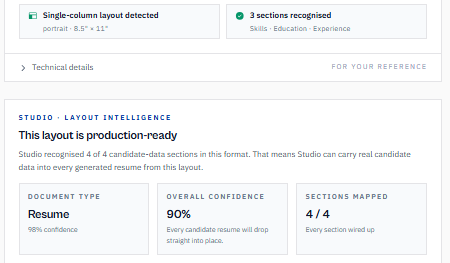
Studio scans the document and maps its structure, branding and layout — detecting the page layout, recognising resume sections, and checking how the format maps to candidate information before anything is generated.
03 — FORMAT TRANSPARENCY
Resume Studio exposes what it detected in the source format — from layout and recognized sections to mapping and confidence — so recruiters can understand the structure being reused.
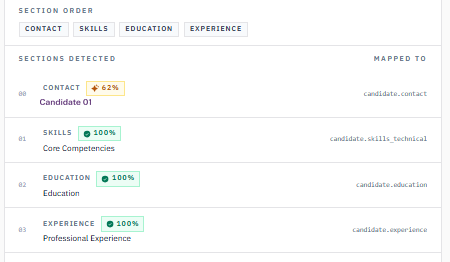
Automation is more useful when recruiters can understand what the system detected. Studio exposes recognized structure, section mapping and confidence before the format becomes part of the generation workflow.
STRUCTURE → SECTIONS → MAPPING
04 — APPLY
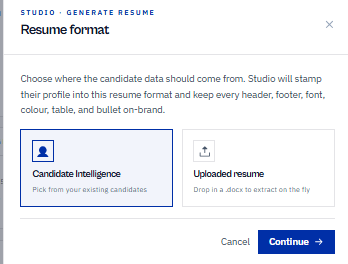
Choose Candidate Intelligence to apply structured candidate information already in Avric.ai, or drop in a candidate's DOCX resume to extract on the fly. Studio applies the information through the analyzed format — keeping the document's headers, footers, fonts, colours and tables consistent.
05 — GENERATE
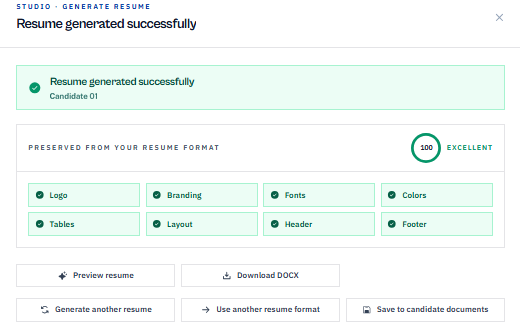
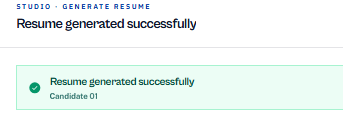
Studio generates the candidate's resume through the analyzed format — preserving the detected layout, branding, fonts, colours, tables and structure — and returns a DOCX the team can preview, download, or regenerate against another format.
THE DIFFERENCE
Traditional reformatting repeats document work candidate by candidate. Resume Studio turns an analyzed format into a reusable part of the recruiting workflow.
AVRIC.AI
Resume Studio
TRADITIONAL
Resume Reformatting
STARTING POINT
FORMAT ANALYSIS
SECTION MAPPING
BRANDING & PRESENTATION
FORMAT REUSE
CANDIDATE GENERATION
OUTPUT REVIEW
RECRUITING CONTEXT
06 — YOUR FORMAT
The resume a recruiter presents is more than a file — it's part of how candidates are represented to hiring teams and clients. Resume Studio helps recruiting teams reuse the formats that already represent their business while applying new candidate information through a structured generation workflow.
01
Start with the document format your recruiting team already uses.
02
Carry supported branding, layout and structural characteristics into generated resumes.
03
Apply structured candidate information through the reusable format.
04
Review the generated document before it is used or shared.
07 — PRESERVE WHAT MATTERS
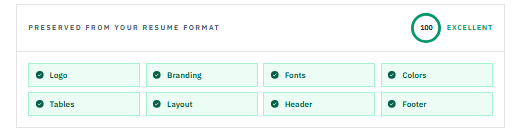
Studio checks how key format characteristics carry into the generated resume, giving recruiters visibility into the result before use — including where preservation needs attention.
Preservation indicators in the product reflect supported, detected characteristics — and surface warning states where elements need review.
08 — REUSABLE FORMATS
Save analyzed formats so recruiters can return to the layouts they use for different presentation needs without rebuilding the document structure each time.
09 — BUILT FOR RECRUITING
Staffing and recruiting teams may work with preferred internal formats, standardized submission formats or different presentation requirements. Resume Studio helps turn those existing formats into reusable workflows instead of rebuilding candidate documents from scratch.
Reuse preferred resume formats across candidate presentation workflows.
Create a more consistent process for preparing candidate resumes.
Reduce repetitive document-formatting work while maintaining professional presentation.
Build reusable formats as recruiting operations become more structured.
Create a more repeatable candidate presentation process.
Reduce the need to rebuild the same resume structure manually.
Preview and review generated output before it is used.
Resume Studio moves repetitive candidate-document preparation into a reusable workflow while keeping recruiters in control of the final output.
CONNECTED PLATFORM
Resume Studio turns candidate information into consistently prepared resume documents using reusable formats — connected to the rest of Avric.ai.
GET STARTED
Analyze an existing format, reuse its supported structure and presentation, and generate consistent candidate resumes with Avric.ai Resume Studio.